











|
|
 |
|
Main features
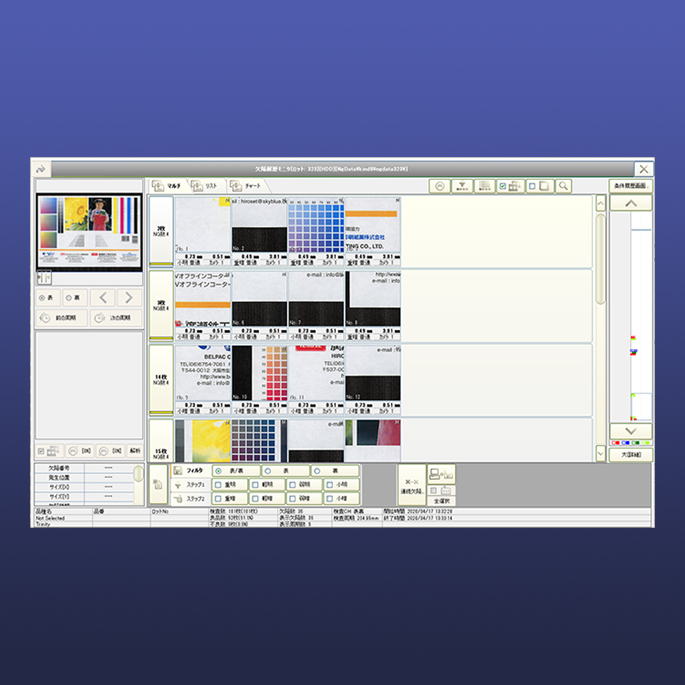
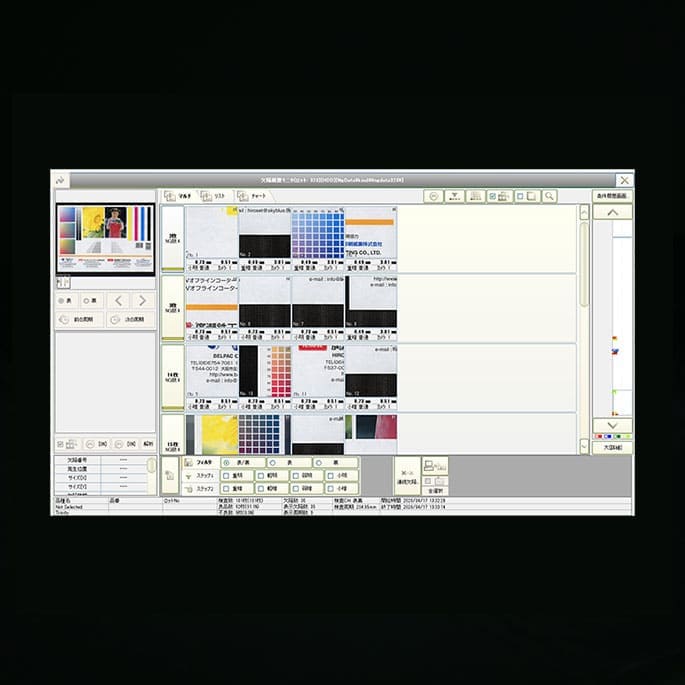
This Gallery is an optional system to save and manage the data of defects.
 * Screen shot of Gallery
- Storage of inspection result
Gallery can save sufficient defect-record such as number of the inspecting cycles, defects, images, etc by each inspecting lot. (One inspecting lot is the period from inspecting start to end)
| 1 |
Up to 3 images of 128×128 pixel can be saved for each inspecting cycle. |
| 2 |
The maximum number of the saved images will change along with the capacity of the Hard-disc. In case you want to save 100 defects and 80 images within one inspecting lot, you need one gigabyte of Hard-disc in order to save the data of 200 inspecting lots. |
- Data analysis function
With this function, the Gallery collects the detail data for each defect and analyzes where the defects are likely to occur in order to improve your production efficiency and reduce your wasted products.
- Data backup function
The collected data can be saved in MO or DVD by this Backup function.
If you want to back up the data of 100 defects and 80 images within one inspecting lot.
- 640 megabyte of MO can back up the data for 120 inspecting lots.
- 9.4 gigabyte of DVD can back up the data for 1,800 inspecting lots.
*The backup time will change along with the capacity of MO and DVD.
|
|
|
|
 |
 |